Access PLEX Test Environment
Purpose
The PLEX Test Environment (Sandbox) allows you to practice tasks or test new processes without affecting live production data. Use this environment for training or experimentation.
Steps
-
Go to PLEX and log in to your account.
-
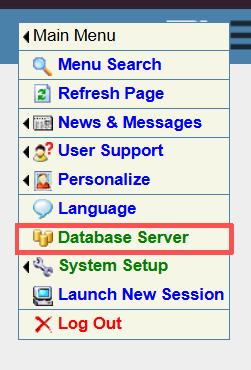
Hover your mouse over the top right corner of the PLEX screen (Dayton US Icon), click on Database Server.
-
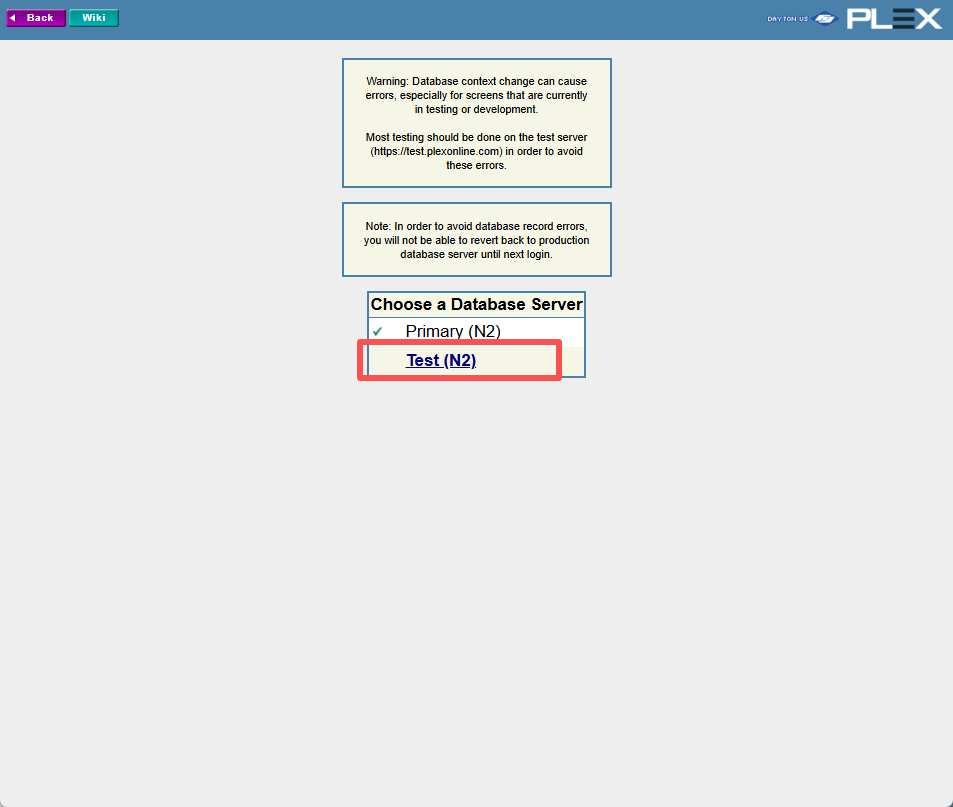
Choose Test (N2).
-
You will be redirected to the Test Environment.
Test Environment Details
- Data Freshness: The Test Environment uses data from one day earlier than the Production (Primary) environment.
- Refresh Schedule: The database is automatically refreshed every 6 hours.